
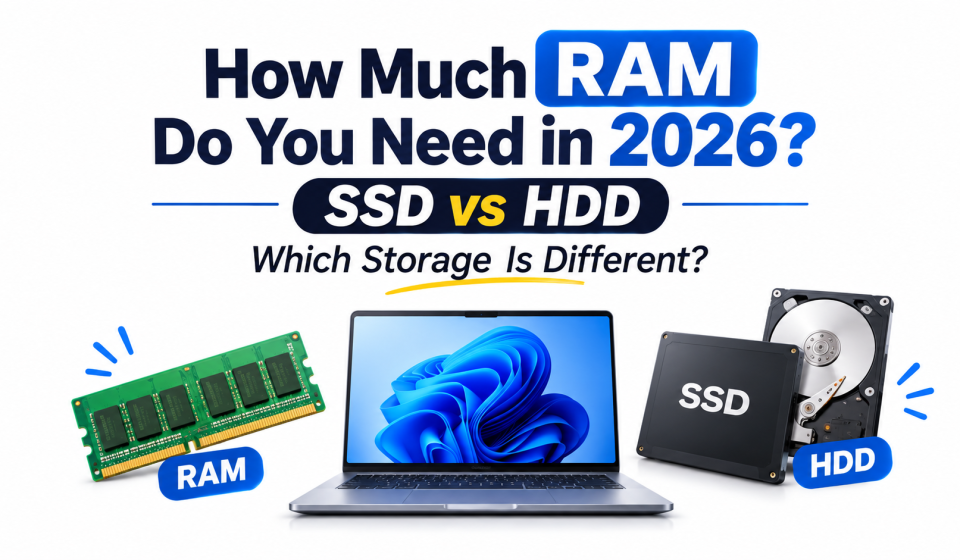
How Much Laptop RAM Do You Need in 2026? SSD vs HDD

How Much RAM Do You Need in 2026? SSD vs HDD Explained
How Much Laptop RAM Do You Need in 2026? When buying a laptop in 2026, there are two specifications that will probably cause confusion. RAM and Storage. There are laptops available with 8GB of RAM, some with 16GB and even 32GB! You will also notice that some laptops mention SSD and HDD.
But what does this mean? Will you need extra RAM for studying or working? Is SSD better?
The good news is they each deal with separate issues, and understanding them will allow you to purchase a laptop that will suit your everyday usage and save you from paying for extra features that you don’t need.
What Is RAM and Why Does It Matter?
RAM is short for Random Access Memory. It is used as short-term storage on your laptop so that active apps and data can be stored.
For example, if you’re in an online lesson and have multiple tabs open and taking notes, your laptop will use RAM. If you don’t have enough free RAM, then your laptop can get slower, force reloads of apps or affect your ability to do multiple things at once.
But having more RAM won’t necessarily make your laptop faster. It will only help if you need more memory for your work.
How Much RAM Do You Need in 2026?
The right amount of RAM depends on what you do with your laptop. Here is a practical breakdown.
8GB Laptop RAM: For Basic Everyday Use
Laptop RAM Do You Need in 2026.
8GB RAM can handle many everyday activities, such as:
- Browsing websites
- Watching educational videos
- Attending online classes
- Writing documents
- Using basic office applications
- Sending emails
It can be a reasonable starting point for students and light users. However, keeping many browser tabs and applications open together may cause slowdowns.
16GB Laptop RAM: A Balanced Choice for Most Users
For many laptop buyers in 2026, 16GB RAM is a comfortable choice.
It is suitable for:
- University students
- Office workers
- Freelancers
- Programming beginners
- Digital marketing tasks
- Regular multitasking
- Light photo and video editing
If you regularly use Chrome, Microsoft Office, design applications, and video meetings together, 16GB can provide more room for multitasking.
32GB Laptop RAM: For Heavy Workloads
32GB RAM is useful when your daily work involves demanding applications.
It can be suitable for:
- Professional video editing
- Advanced graphic design
- 3D modelling
- Large programming projects
- Virtual machines
- Heavy multitasking
You do not need 32GB just because it sounds more powerful. Choose it when your software and workload actually require that much memory.
Laptop RAM Recommendation by User Type
| User Type | Suggested RAM |
|---|---|
| School Student | 8GB–16GB |
| University Student | 16GB |
| Job Holder | 16GB |
| Office Worker | 16GB |
| Freelancer | 16GB |
| Graphic Designer | 16GB–32GB |
| Video Editor | 32GB or more |
| Gamer | 16GB–32GB |
These are general recommendations, not fixed requirements. The software you use and the laptop’s overall hardware also matter.
What Is SSD Storage?
SSD stands for Solid State Drive. It is a storage device that saves your operating system, applications, documents, photos, videos, and other files.
Unlike a traditional hard drive, an SSD uses flash memory and has no spinning mechanical parts.
This allows an SSD to start a laptop, open applications, and access files much faster than a traditional HDD.
For example, when you turn on a laptop with an SSD, the operating system can load much more quickly. Applications also tend to open faster.
What Is HDD Storage?
HDD stands for Hard Disk Drive. It stores information on spinning magnetic disks and uses a moving read/write head to access data.
HDDs have been used in computers for many years. They are still useful when you need a large amount of storage at a lower cost.
However, their mechanical design makes them slower and more sensitive to physical shocks than SSDs.
You may still find HDDs in older laptops, desktop computers, and external storage devices.
SSD vs HDD: What Is the Difference?
Both SSD and HDD store your files permanently, but their technology and performance are different.
| Feature | SSD | HDD |
|---|---|---|
| Technology | Flash memory | Magnetic spinning disks |
| Speed | Much faster | Slower |
| Startup Time | Faster | Slower |
| App Loading | Quick | Takes longer |
| Noise | Silent | Can make spinning sounds |
| Durability | No moving parts | Has moving parts |
| Weight | Usually lighter | Usually heavier |
| Cost per GB | Generally higher | Generally lower |
| Best Use | Operating system and apps | Large file storage and backups |
For most modern laptops, an SSD is the better choice for the main storage drive.
An HDD can still be useful as additional storage for large collections of photos, videos, and backup files.
How Much SSD Storage Do You Need?
Choosing the right storage capacity is just as important as choosing RAM.
256GB SSD: For Light Users
256GB can work if you mainly browse the internet, write documents, attend online classes, and use cloud storage.
However, it may become limited if you install many applications or save large files.
512GB SSD: A Practical Choice for Most People
512GB offers a useful balance between capacity and cost.
It can be suitable for:
- Students
- Job holders
- Office workers
- Freelancers
- Everyday laptop users
You can keep your operating system, applications, documents, photos, and some larger files without running out of space too quickly.
1TB SSD: For More Storage Needs
1TB is a better option if you regularly work with large files.
It can be useful for:
- Video editors
- Graphic designers
- Gamers
- Content creators
- People who store large media libraries
If your work involves high-resolution videos or large design projects, additional storage can make everyday file management easier.
RAM vs Storage: Why Are They Not the Same?
How Much Laptop RAM Do You Need in 2026 This is one of the most common misunderstandings when choosing a laptop. Think of your laptop as a study desk.
RAM is like the space on your desk. It lets you keep several books and notebooks open while working.
Storage is like a cupboard. It keeps your books, documents, and other belongings saved when you finish working.
RAM handles active tasks, while storage keeps your files and applications permanently.
That is why a laptop with 16GB RAM and a 256GB SSD can have plenty of working memory but limited file space. Another laptop with 8GB RAM and a 1TB SSD can store many files but may struggle with heavy multitasking.
You need a suitable balance of both.
Can You Upgrade RAM and SSD Later?
Sometimes, yes. But it depends on the laptop model.
Some laptops have removable RAM slots, while others use memory soldered directly to the motherboard. Soldered RAM usually cannot be upgraded.
SSD upgrades are possible on many laptops, but some thin models have limited or non-replaceable storage.
Before purchasing, check:
- Whether the RAM is upgradeable
- Maximum supported RAM capacity
- Whether the laptop has an available SSD slot
- Which SSD type and size it supports
This is especially important if you plan to use the same laptop for several years.
What Should You Choose in 2026?
Here is a simple starting point based on different needs:
| Your Main Use | RAM | Storage |
|---|---|---|
| Basic Study | 8GB | 256GB SSD |
| University and Research | 16GB | 512GB SSD |
| Job and Office Work | 16GB | 512GB SSD |
| Freelancing | 16GB | 512GB SSD |
| Graphic Design | 16GB–32GB | 512GB–1TB SSD |
| Video Editing | 32GB or more | 1TB SSD or more |
| Gaming | 16GB–32GB | 1TB SSD |
These are starting points. Check the requirements of your specific applications before making a final decision.
Frequently Asked Questions
Is 8GB RAM enough in 2026?
Yes, 8GB can handle basic browsing, documents, online classes, and light office tasks. However, 16GB is a more comfortable choice for regular multitasking.
Is 16GB RAM better than 8GB?
For multitasking, 16GB generally provides more room to run several applications together. However, the overall performance also depends on the processor, storage, and software.
Is SSD better than HDD for a laptop?
Yes. SSDs offer faster startup, application loading, and file access. HDDs are still useful when you need large storage capacity at a lower cost.
Does more storage make a laptop faster?
Not necessarily. More storage gives you additional space for files and applications. A faster SSD can improve loading and file-transfer performance, but simply increasing storage capacity does not automatically increase speed.
Can I use SSD and HDD together?
Yes, if your computer supports both drives. You can use an SSD for the operating system and applications, while an HDD stores larger files and backups.
Should students choose 16GB RAM or a 1TB SSD?
For most students, 16GB RAM with a 512GB SSD is a balanced combination if the budget allows it. The best choice still depends on the applications and files they use.
Final Thoughts
Your laptop doesn’t have to have the highest specs. RAM and storage perform separate functions.
As a student, freelancer, employee, or office worker, having a laptop with 16 GB of RAM and 512 GB of SSD storage will help with many common tasks in 2026.
However, if you’re doing heavy creative, gaming, or professional work, then you may want more.
Instead of going for the highest-spec laptop, aim to go for one that has the right amount of performance and storage space for the work you’ll be doing.