
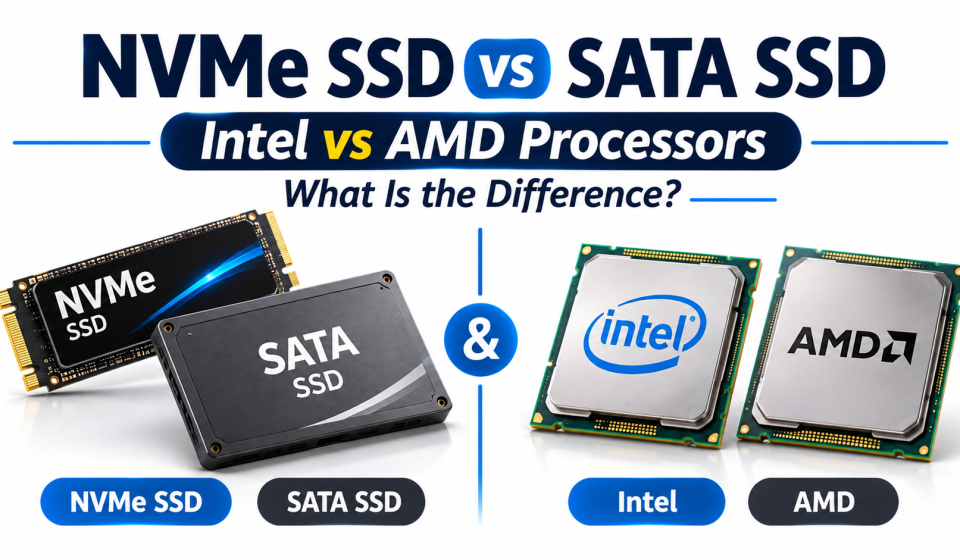

NVMe SSD vs SATA SSD and Intel vs AMD Processors: What Is the Difference?
NVMe SSD vs SATA SSD and Intel vs AMD: Differences
When purchasing a laptop or desktop computer, it can be overwhelming trying to understand the different storage and processor specifications. Many products will state what type of storage they have, such as NVMe SSD or SATA SSD, along with what processor they have, either an Intel Core or AMD Ryzen. This guide will help you understand what these mean and which would be best for you.
By understanding these technologies, you can make a more informed decision when purchasing. We will explain the difference between NVMe and SATA SSD storage, and we will compare Intel and AMD processors and see what combination would be best for everyday usage, studying, working, gaming, and creative.
1. What Is an SSD?
An SSD (Solid-State Drive) is a storage device that saves your operating system, applications, documents, photos, videos, and other files.
Unlike a traditional hard disk drive (HDD), an SSD does not use moving mechanical parts. This allows it to access data much faster and makes modern computers feel more responsive.
However, not all SSDs use the same technology. Two common types are NVMe SSDs and SATA SSDs.
2. NVMe SSD vs SATA SSD: What Is the Difference?
The main difference between NVMe and SATA SSDs is how they communicate with a computer.
What Is a SATA SSD?
A SATA SSD uses the SATA interface, which was originally developed for traditional hard drives. It is a popular storage option for older computers and affordable laptop upgrades.
SATA SSDs can offer read speeds of around 550 MB/s, depending on the model and connection.
They are suitable for:
- Web browsing and everyday computer use
- Office applications and document editing
- Watching videos and storing personal files
- Improving the performance of an older laptop
What Is an NVMe SSD?
NVMe stands for Non-Volatile Memory Express. It is a storage communication protocol designed specifically for flash-based storage devices.
NVMe SSDs use PCIe connections to transfer data. This allows them to achieve much higher speeds than traditional SATA SSDs.
Depending on the PCIe generation and drive model, NVMe SSDs can offer several thousand MB/s of transfer speed.
They are useful for:
- Faster file transfers
- Large software installations
- Gaming and demanding applications
- Video editing and creative work
- Handling large files and heavy workloads
NVMe SSD vs SATA SSD Comparison
| Feature | SATA SSD | NVMe SSD |
|---|---|---|
| Connection | SATA | PCIe |
| Protocol | AHCI | NVMe |
| Typical maximum speed | Around 550 MB/s | Several thousand MB/s |
| Performance | Good | Much faster |
| Best for | Everyday use | Demanding tasks |
| Compatibility | Older and newer systems with SATA support | Systems with compatible NVMe support |
The actual speed depends on the SSD model, computer hardware, and workload. <sup></sup>
Is NVMe Always Better Than SATA?
NVMe SSDs are generally faster, but that does not mean everyone needs one.
For everyday activities such as browsing websites, writing documents, and attending online classes, a good SATA SSD can still provide a smooth experience.
However, if you regularly transfer large files, edit videos, install large applications, or work with demanding software, an NVMe SSD can be a better choice.
One important detail: M.2 and NVMe are not the same thing. M.2 describes the physical shape of a storage drive, while NVMe describes its communication protocol. Some M.2 SSDs use SATA instead of NVMe.
Always check your laptop or motherboard specifications before buying an SSD.
3. Intel vs AMD Processors: What Is the Difference?
The processor, also called the CPU (Central Processing Unit), is one of the most important parts of a computer.
It handles instructions, calculations, and many of the tasks needed to run applications and operating systems.
Two major processor manufacturers are Intel and AMD. Both offer processors for everyday computers, professional workstations, and gaming systems.
What Is an Intel Processor?
Intel is a well-known processor manufacturer with several product families for laptops and desktop computers.
You may find Intel Core 3, Core 5, Core 7, Core 9, and Core Ultra processors in newer product ranges, along with other models depending on the device and market.
Intel processors are used for:
- Studying and everyday computing
- Office and business applications
- Programming and software development
- Gaming and creative workloads
Different Intel models offer different levels of performance, power efficiency, and graphics capabilities.
What Is an AMD Processor?
AMD stands for Advanced Micro Devices. Its Ryzen processor family is widely used in laptops and desktop computers.
Common Ryzen product families include Ryzen 3, Ryzen 5, Ryzen 7, and Ryzen 9.
AMD processors are also designed for different types of workloads, including:
- Everyday computer use
- Multitasking and productivity
- Gaming
- Photo and video editing
- Professional applications
Some AMD processors also include Radeon integrated graphics, depending on the model.
Intel vs AMD: Main Differences
| Feature | Intel | AMD |
|---|---|---|
| Popular families | Core, Core Ultra | Ryzen |
| Everyday performance | Strong | Strong |
| Gaming | Strong | Strong |
| Multitasking | Depends on model | Depends on model |
| Integrated graphics | Available on selected models | Available on selected models |
| Power efficiency | Varies by model | Varies by model |
| Best choice | Depends on your needs | Depends on your needs |
Neither brand is automatically better in every situation. A specific Intel processor may outperform one AMD model, while another AMD processor may perform better than an Intel competitor.
The exact model, generation, power limits, cooling system, and computer design matter more than the brand name alone.
4. Intel Core 5 vs AMD Ryzen 5: Which One Should You Choose?
Many people compare Intel Core 5 and AMD Ryzen 5 when looking for a mid-range laptop.
Both can be good choices for everyday work, studying, multitasking, and some creative applications.
However, the name alone does not tell you everything.
Before choosing, compare:
- Processor generation and exact model number
- Number of cores and threads
- Performance in independent reviews
- Integrated graphics capabilities
- Power consumption and battery performance
- Laptop cooling and overall design
For example, two laptops with a Core 5 processor may have different performance because they use different generations or power configurations.
The same applies to Ryzen 5 processors.
5. Which Combination Is Best for Different Users?
Your ideal processor and storage combination depends on what you do with your computer.
| User Type | Processor Choice | Storage Choice |
|---|---|---|
| Students | Recent Core 3/5 or Ryzen 3/5 | SATA or NVMe SSD |
| Office workers | Recent Core 5 or Ryzen 5 | NVMe SSD |
| Freelancers | Core 5/7 or Ryzen 5/7 | NVMe SSD |
| Graphic designers | Core 5/7 or Ryzen 5/7 | Fast NVMe SSD |
| Video editors | Higher-performance Core or Ryzen models | High-capacity NVMe SSD |
| Gamers | Gaming-focused Core or Ryzen models | NVMe SSD |
These are general starting points, not fixed requirements. The software you use, available budget, RAM, graphics hardware, and exact processor model can change what is suitable.
6. What Should You Check Before Buying a Laptop?
A processor or SSD specification alone cannot tell you whether a laptop is good.
Check these important details before making a decision:
1. Processor generation: A newer model is not automatically faster than every older model. Compare the exact processor specifications.
2. RAM: Consider how much memory you need for your applications and multitasking.
3. SSD capacity: 512GB is a useful starting point for many users, while people working with large files may need more storage.
4. Display quality: Check resolution, brightness, color quality, and refresh rate.
5. Battery life: Look at real-world battery reviews rather than relying only on advertised figures.
6. Upgrade options: Check whether the RAM and SSD can be upgraded later.
7. Cooling system: Good cooling helps a laptop maintain performance during demanding tasks.
Frequently Asked Questions
1. Is NVMe faster than SATA SSD?
Yes. NVMe SSDs generally provide much higher transfer speeds and lower latency because they use PCIe connections and the NVMe protocol.
2. Is a SATA SSD still worth buying?
Yes. SATA SSDs remain useful for everyday computing, older computers, and affordable storage upgrades.
3. Is Intel better than AMD?
Neither is always better. Performance depends on the exact processor model, generation, power consumption, and workload.
4. Is Ryzen 5 good for students?
Many Ryzen 5 processors are suitable for studying, browsing, online classes, office applications, and multitasking. Check the exact model and laptop specifications.
5. Does an NVMe SSD improve gaming FPS?
Not usually. An NVMe SSD can help with game loading and file transfers, but it does not directly increase FPS in the way a stronger graphics processor can.
6. Can every laptop use an NVMe SSD?
No. The laptop must have a compatible NVMe-supported slot. Always check the manufacturer’s specifications before purchasing an upgrade.
Final Thoughts
Understanding NVMe SSD vs SATA SSD: storage and processor technology makes it easier to choose a computer that matches your needs.
NVMe SSDs are generally the better option when you want faster storage performance, while SATA SSDs remain useful for everyday computing and older devices.
Intel and AMD both offer capable processors for different budgets and workloads. Instead of choosing a laptop only because it has an Intel or AMD logo, compare the exact processor model, RAM, storage, display, battery, and upgrade options.
A balanced computer with the right specifications can provide a better experience than one with an impressive name but unsuitable hardware.