
Intel vs AMD for laptops Which One Is Better in 2026?

Intel vs AMD for laptops Which One Is Better in 2026?
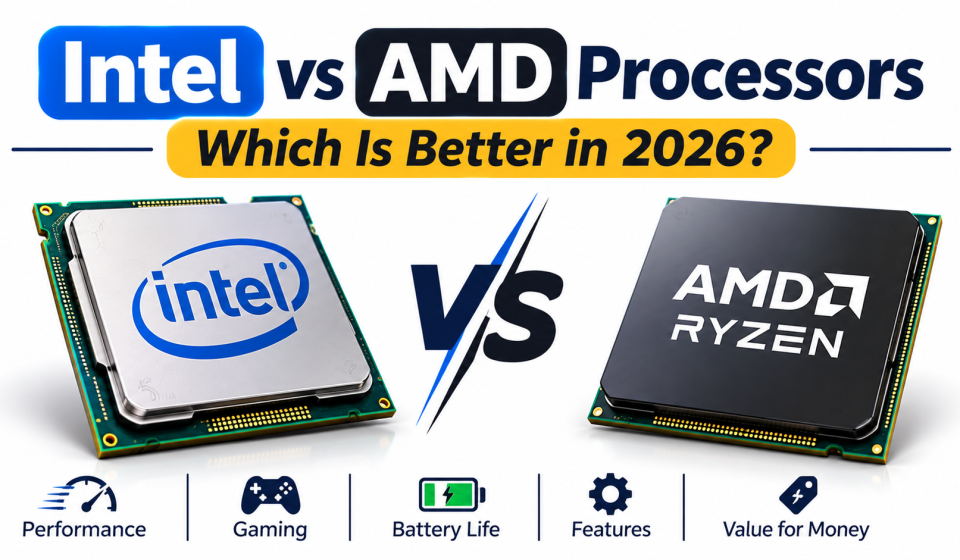
Intel vs AMD for laptops Which One Is Better.
Choosing a new laptop or desktop computer can be confusing, especially when you have to decide between Intel and AMD processors. Both brands have some serious options for daily use, office work, gaming, coding, and professional use.
However, is Intel better than AMD? Or will you get more performance for your money with AMD?
It really depends on what processor you’re looking at, how much you’re willing to spend, and what you intend on using your computer for. We’ll break down the differences between Intel and AMD processors in simple terms so you know which could be a better option for you in 2026.
What Is a Processor?
A processor, or CPU (Central Processing Unit), is an essential part of any computer.
It carries out instructions, calculates, and helps with lots of tasks to help computers and software function.
When you open up a browser, type in a document, play games, or use a design application, the processor will help you do these tasks.
Having a good processor will make your computer faster and able to handle more intensive tasks.
What Is an Intel Processor?
Intel is one of the world’s best-known processor manufacturers. Its processors are used in laptops, desktop computers, workstations, and other computing devices.
Intel offers several processor families, including:
- Intel Core 3
- Intel Core 5
- Intel Core 7
- Intel Core 9
- Intel Core Ultra 5
- Intel Core Ultra 7
- Intel Core Ultra 9
The Core Ultra series are newer processors that contain a variety of advanced features like built-in graphics and AI cores on select processors.
Intel is a commonly used processor for study, office, multitasking, gaming, and professional applications.
However, they can still vary in performance based on the model you choose. Not every Core 7 processor will be faster than a Core 5 processor.
What Is an AMD Processor?
AMD (Advanced Micro Devices) is another major processor manufacturer. Its Ryzen family is widely used in laptops and desktop computers.
Popular AMD processor families include:
- AMD Ryzen 3
- AMD Ryzen 5
- AMD Ryzen 7
- AMD Ryzen 9
- AMD Ryzen AI
AMD processors are designed for different workloads, from basic everyday computing to demanding gaming and creative applications.
Many Ryzen processors also include integrated Radeon graphics, although the graphics capabilities depend on the exact model.
AMD Ryzen processors are popular among users who want a balance of performance, efficiency, and price.
Intel vs AMD Processors: Main Differences
Intel and AMD compete in many areas, including performance, gaming, power efficiency, integrated graphics, and pricing.
Here is a simple comparison:
| Feature | Intel | AMD |
|---|---|---|
| Popular families | Core, Core Ultra | Ryzen, Ryzen AI |
| Everyday performance | Strong | Strong |
| Multitasking | Depends on model | Depends on model |
| Gaming | Strong | Strong |
| Integrated graphics | Available on selected models | Available on selected models |
| AI features | Available on selected models | Available on selected models |
| Power efficiency | Varies by processor | Varies by processor |
| Best choice | Depends on workload | Depends on workload |
Neither brand is the winner in every category. A specific Intel processor may perform better in one application, while an AMD competitor may perform better in another.
Intel vs AMD for Gaming
There are several factors that affect gaming performance. Not just your processor but also your graphics card, RAM, cooling, display, and optimization of the game itself.
Both Intel and AMD provide processors that are good for gaming. AMD has Ryzen X3D processors that are well known for their gaming performance due to having extra 3D V-cache technology on certain models.
Intel also has some powerful gaming processors. They have models for high-performance desktops and gaming laptops.
If you are choosing a gaming computer, compare:
- Exact CPU model
- Dedicated GPU
- RAM capacity
- Cooling performance
- Game benchmarks
- Display refresh rate
For many games, the graphics card has a greater effect on performance than choosing Intel or AMD alone.
Intel vs AMD for Students and Office Work
Students and office workers usually do not need the most expensive processor.
A recent mid-range Intel Core 5, Intel Core Ultra 5, or AMD Ryzen 5 processor can be suitable for many everyday tasks.
These may include:
- Browsing websites
- Attending online classes
- Writing documents
- Creating presentations
- Using spreadsheets
- Watching videos
- Running multiple applications
For basic tasks, a well-balanced laptop with sufficient RAM and an SSD can be more useful than spending extra money on a high-end processor.
Intel vs AMD for Video Editing and Graphic Design
Creative applications can require more processing power, especially when working with large files, high-resolution videos, or complex projects.
Both Intel and AMD offer processors suitable for creative work.
Before buying a laptop for design or video editing, consider:
Processor: Choose a capable modern CPU that matches the software you use.
RAM: 16GB can be a useful starting point for many creative applications, while heavier projects may benefit from 32GB or more.
Graphics: Dedicated graphics can help with certain editing, rendering, and design workloads.
Storage: A fast SSD provides responsive file access and helps with large project files.
The complete laptop configuration matters more than the processor brand.
Intel Core 5 vs AMD Ryzen 5: Which Is Better?
Intel Core 5 and AMD Ryzen 5 processors are popular choices in the mid-range market.
Both can handle everyday computing, office work, studying, and multitasking.
However, comparing only the names can be misleading.
For example, two Ryzen 5 processors from different generations may have very different performance levels. The same is true for Intel Core 5 models.
Before choosing between them, check:
- Exact processor model and generation
- Number of cores and threads
- Clock speeds
- Integrated graphics
- Power consumption
- Independent performance benchmarks
The best option is the one that provides better performance for your particular workload and budget.
Understanding Processor Generations and Names in 2026
Processor names can sometimes make buying decisions confusing.
Intel has introduced newer Core and Core Ultra naming systems, while AMD continues to use several Ryzen and Ryzen AI product families.
Here are a few things to remember:
Intel Core vs Core Ultra: Core Ultra models include selected advanced features, such as dedicated AI processing hardware. However, not every Core Ultra model has identical capabilities.
AMD Ryzen vs Ryzen AI: Ryzen AI processors include dedicated AI processing hardware on selected models. Their capabilities vary by product.
Generation matters: Newer processor families may offer improvements in performance, efficiency, graphics, or AI features, but the exact model still matters.
Do not judge by the number alone: Always check the full model name and specifications before purchasing.
Which Processor Should You Choose?
Your ideal processor depends on your everyday needs.
| User Type | Suitable Processor Category |
|---|---|
| Basic computer users | Recent entry-level Core or Ryzen |
| Students | Mid-range Core 5 or Ryzen 5 |
| Office workers | Core 5, Core Ultra 5, or Ryzen 5 |
| Freelancers | Core 5/7 or Ryzen 5/7 |
| Graphic designers | Higher-performance Core or Ryzen |
| Video editors | Powerful Core or Ryzen models |
| Gamers | Gaming-focused Core or Ryzen processors |
| Professional creators | High-performance Core Ultra or Ryzen 7/9 options |
These are general guidelines, not strict requirements. Your software, budget, graphics hardware, and laptop design can change which processor is most suitable.
7 Things to Check Before Buying an Intel or AMD Laptop
Choosing a processor is important, but it should not be your only consideration.
Before buying a new computer, check these seven things:
- Processor model: Compare the exact model instead of relying only on Core 5, Core 7, or Ryzen 5 labels.
- RAM: Consider 8GB for basic use, 16GB for many everyday and multitasking needs, and more for demanding workloads.
- Storage: An SSD is a good choice for faster everyday performance. Check whether it uses SATA or NVMe.
- Graphics: Check whether the laptop has integrated or dedicated graphics.
- Battery life: Look for independent battery tests and real-world usage reports.
- Cooling: A good cooling system helps maintain performance during demanding tasks.
- Upgrade options: Check whether RAM and storage can be upgraded later.
Frequently Asked Questions
Is Intel better than AMD in 2026?
Not in every situation. Both brands offer competitive processors. The better choice depends on the exact model, price, performance, and intended workload.
Is AMD Ryzen good for everyday use?
Yes. Many Ryzen processors are suitable for browsing, studying, office applications, entertainment, and multitasking.
Is Intel Core Ultra better than Intel Core?
Core Ultra processors include selected newer features, including dedicated AI processing hardware on supported models. However, performance depends on the exact processor rather than the name alone.
Which is better for gaming, Intel or AMD?
Both can provide excellent gaming performance. Some AMD Ryzen X3D models are especially strong in gaming, while Intel also offers competitive gaming processors. Compare real game benchmarks before choosing.
Which processor is better for students?
A recent mid-range Intel Core 5, Core Ultra 5, or AMD Ryzen 5 processor can be a good starting point for many students.
Does a higher processor number always mean better performance?
No. Processor generation, architecture, core design, power limits, and cooling all affect performance. Always compare the complete model numbers.
Final Thoughts
Comparing Intel and AMD isn’t about picking one brand over another. Both brands offer processors at varying price points, depending on what you need out of your computer.
Intel can be a great option for general use, professional use, and gaming. AMD also provides some great options for multitasking, creative use, and gaming.
When looking to purchase a laptop/desktop, compare specific details, including which processor model you’ll be receiving, how much RAM, graphics, storage, battery life, and price.
The best processor is the one that will provide you with the performance you require whilst keeping within your budget.