

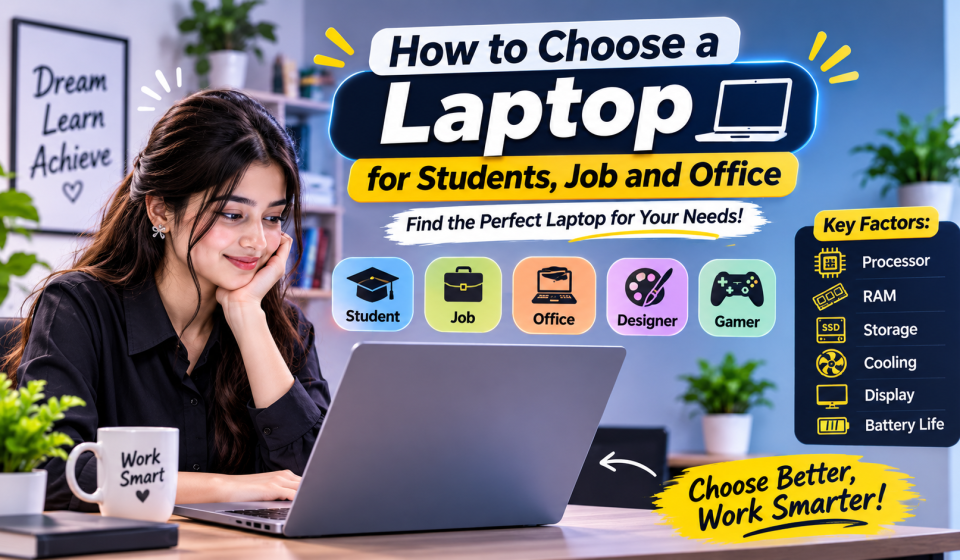
How to Choose a Laptop for Students, Job and Office

How to Choose a Laptop for Students, Job and Office Work
Choose a laptop can be a confusing choice, as every model will have different specs. However, you don’t need to buy the most expensive laptop to get a good-performing laptop.
The best way to pick your laptop is based on what you are actually going to use it for.
Whether you are a student, office worker, freelancer, designer, or gamer, you could all require very different laptops. We have created an easy guide below to ensure you get the best laptop for your needs.
1. First Decide What You Will Use the Laptop For
Choose a Laptop Before checking specifications, think about your daily tasks.
For Students
If you mainly use a laptop for online classes, research, browsing, Microsoft Word, presentations, PDFs, and watching educational videos, you do not need a high-end machine.
Look for:
- Modern entry-level or mid-range processor
- 8GB or 16GB RAM
- 512GB SSD
- Good battery life
- Lightweight design
- Comfortable keyboard
- Clear Full HD display
If you study outside home frequently, portability and battery life can be more useful than extra processing power.
2. For Job and Office Work
Office work can include documents, spreadsheets, emails, web applications, video meetings, and multitasking.
For this type of use, a balanced laptop is usually better than buying a powerful gaming laptop.
A good starting point is:
- Core 5/Core i5 or Ryzen 5-class processor
- 16GB RAM if you regularly multitask
- 512GB SSD
- Good webcam
- Comfortable keyboard
- Reliable Wi-Fi
- USB-A, USB-C and HDMI or suitable display connectivity
A laptop with a good keyboard and comfortable screen can make a noticeable difference when you spend several hours working every day.
3. For Freelancing and Remote Work
Freelancers may work with different types of software depending on their profession.
For writing, SEO, virtual assistance, digital marketing, browsing, and online meetings, you can focus on portability, battery life, RAM, and a good display.
For graphic design, video editing, or other creative work, you may need a stronger processor, more RAM, a color-accurate display, and sometimes a dedicated GPU.
Do not buy a powerful laptop just because you see impressive specifications. Buy the power your work actually needs.
4. Check the Processor Carefully
The processor is one of the most important parts of a laptop.
However, do not simply think:
Core i7 = always better than Core i5.
Processor generation, model, power class, and actual performance also matter. A newer mid-range processor can be a better choice than an older high-end processor.
For basic study and office tasks, you can choose an efficient entry-level or mid-range chip. For editing, programming, gaming, or demanding professional software, move toward a more powerful processor.
5. How Much RAM Do You Need?
RAM affects how comfortably your laptop handles multiple applications.
A simple way to think about it:
- 8GB: Basic study, browsing and light office work
- 16GB: Better for office work, freelancing, programming and multitasking
- 32GB+: Useful for heavier editing, advanced design, professional workloads and some specialized tasks
For a laptop you plan to keep for several years, 16GB can be a more comfortable choice if your budget allows it.
6. Always Pay Attention to Storage
For most modern laptops, an SSD is a much better choice than relying on an old-style HDD.
An SSD helps with faster startup, application loading, and file access.
For many users, 512GB SSD is a practical starting point. If you store large video files, design projects, games, or many documents, 1TB can provide more breathing room.
7. Do Not Ignore the Display
You may spend hours looking at your laptop screen, so display quality matters.
For general use, look for:
- Full HD or better resolution
- Comfortable brightness
- Good viewing angles
- A size that fits your workspace
A 13–14-inch laptop can be easier to carry, while a 15–16-inch screen can provide more workspace for spreadsheets, editing, and multitasking.
8. Battery Life and Weight Matter for Students
A powerful laptop is not always the best student laptop.
If you carry your laptop between school, university, coaching, library, or home, a lighter model with good real-world battery life may be more useful.
Remember that advertised battery life can differ from actual usage, so real-world reviews are worth checking before buying.
9. What About Gaming?
Gaming changes the requirements.
If you want to play modern games, look for:
- Strong processor
- Dedicated graphics card
- 16GB RAM or more
- SSD storage
- Good cooling
- High-refresh-rate display
A gaming laptop can also be useful for video editing, 3D works, and other GPU-heavy tasks, but it is usually heavier and less focused on portability.
10. Choose Based on Your Work, Not the Laptop Name
Here is a simple way to decide:
| Your Main Use | What to Prioritize |
|---|---|
| Student | Battery, portability, SSD, comfortable display |
| Job / Office | RAM, keyboard, webcam, multitasking |
| Freelancing | RAM, SSD, display, battery |
| Programming | Processor, RAM, SSD, keyboard |
| Graphic Design | RAM, CPU, display, GPU |
| Video Editing | CPU, GPU, RAM, SSD |
| Gaming | GPU, CPU, cooling, RAM, display |
These are starting points rather than strict rules. Your software and workload should always come first.
Final Thoughts
Your best laptop is going to depend on your needs. You want a good balance between performance, battery life, portability, storage, screen quality, and comfort.
If you’re a student, then you’ll want it to be for studying and portability. If it’s for work or office, make sure it has a good amount of multitasking and comfort. Freelancers will want to have one to match their work. Designers, editors, and gamers may want higher-spec laptops.
Just write down what you’ll mostly be using your laptop for and pick your specs around that. This simple step can help you avoid paying for unwanted features.



Comments are closed.
[…] Much Laptop RAM Do You Need in 2026? When buying a laptop in 2026, there are two specifications that will probably cause confusion. RAM and Storage. There are […]
[…] purchasing a laptop or desktop computer, it can be overwhelming trying to understand the different storage and […]
[…] Choosing a new laptop or desktop computer can be confusing, especially when you have to decide between Intel and AMD processors. Both brands have some serious options for daily use, office work, gaming, coding, and professional use. […]
[…] When purchasing a new laptop, you’ll often notice two key terms, CPU & GPU. These each help to determine the performance of a laptop. While some laptops will be designed for general use, others are designed for gaming, video editing, programming, and professional use. […]